Most litigation records contain a relatively small set of documents that shape the case. Identifying them is only half the challenge. Teams also need a reliable way to preserve why each document matters and retrieve it when the same question resurfaces days, weeks, or months later.
For litigation teams reviewing tens of thousands of documents under tight deadlines, the same questions come up repeatedly: Which documents matter? Why do they matter? Where can the team find them right now?
For case managers, paralegals, and litigation support staff, answering those questions often means tracking down information scattered across review platforms, shared folders, spreadsheets, emails, and individual team members’ notes.
Here is why that traditional workflow breaks down — and how Everchron helps teams create a more durable, accessible case record.
The manual approach
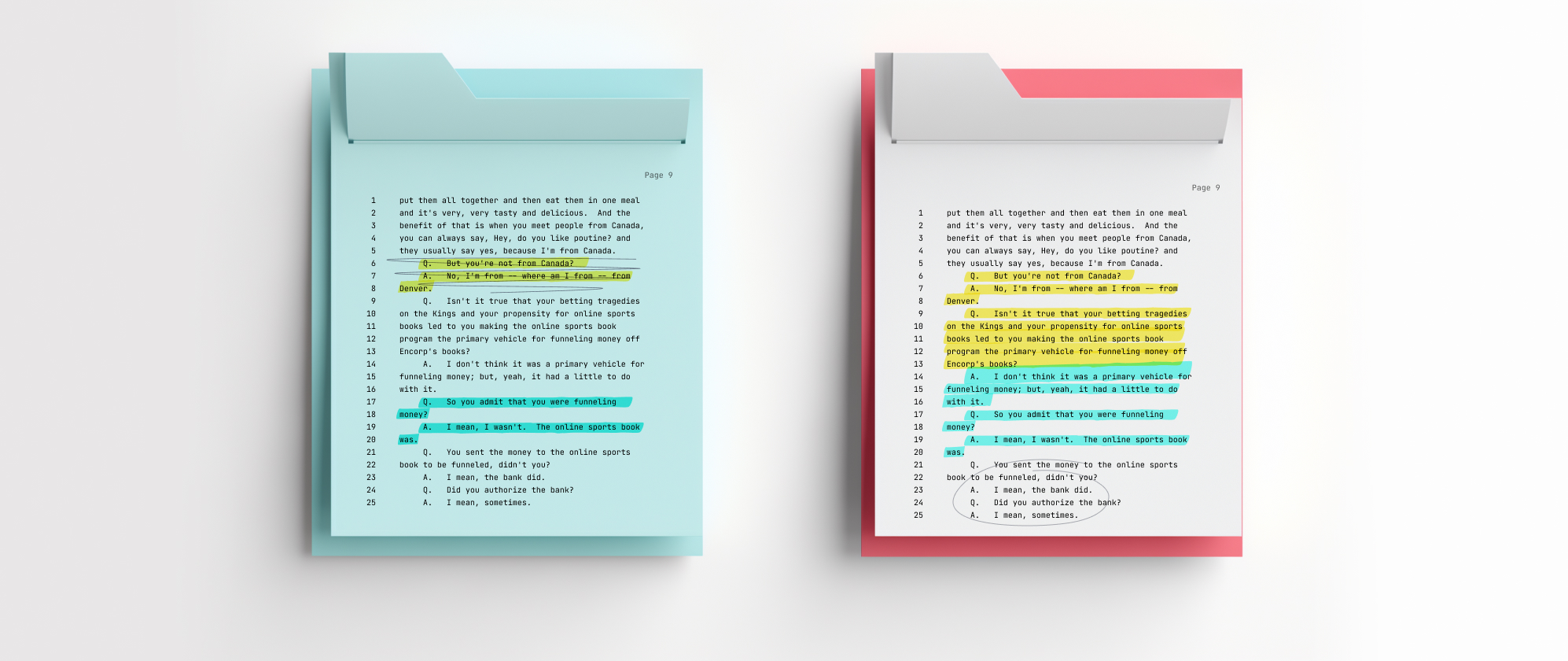
Most teams track key documents across several systems: a review platform for the initial pass, shared folders for selected files, and a chronology spreadsheet cataloguing the most important material. Each tool serves a purpose, but the connections among them are difficult to maintain as the case evolves. That fragmentation invites missed updates, duplicate work, and version drift as the case evolves.
The team’s analysis is scattered.
The original reviewer may know exactly why a document matters, how favorable it is, and which issue or witness it relates to. But that analysis does not always make it into the chronology. Another team member may see only a Bates number and a generic one-line description, without the reasoning behind why the document matters or how it affects the case.
That reasoning also rarely remains fixed. A document that initially appears routine may become critical after a deposition, a new production, or a change in case strategy. In a traditional workflow, those developments are often discussed in email threads, meetings, or conversations between individual team members. One associate may share a new interpretation with another, but the insight never makes it back into the team’s chronology or reaches everyone working on the matter.
There is no single view of the key record.
Even when teams build chronologies, they are not necessarily working from one comprehensive chronology containing every important document and event. Different team members may create their own chronologies focused on a particular issue, witness, motion, or time period.
Those focused work products can be useful, but they also create overlapping and incomplete views of the case. The same document may appear in several chronologies with different descriptions or analysis, while other important documents may be omitted entirely. When the team needs a broader view, someone must reconcile those separate work products and determine which one reflects the most current thinking.
The list and the documents drift apart.
A spreadsheet or chronology may identify important documents, but it does not necessarily contain them. Each time someone needs to verify an entry, they may have to leave the document, open another system, locate the file, and confirm that it is the correct version. As new productions arrive, new key documents emerge, and team members update different systems, the lists, chronologies, and underlying record gradually fall out of sync.
Every new question requires more manual work.
Spreadsheets can filter the information entered into them, but they cannot easily answer questions that depend on relationships the team did not anticipate and manually capture.
When an attorney asks for “the favorable documents related to Witness X” or “the most damaging documents concerning the contract issue,” case managers may need to search multiple systems, review separate chronologies, reread prior emails, and reconstruct a collection that the team has effectively identified before.
Building a shared, evolving case record
Everchron gives litigation teams a central, searchable workspace where documents remain connected to the analysis that explains their significance. But that analysis is not static. It can be expanded and refined as the team learns more, new evidence emerges, and the theory of the case develops.
Instead of leaving those insights buried in email threads or isolated work product, Everchron allows the team’s evolving understanding to remain part of the shared case record. Team members can see not only why a document mattered when it was first reviewed, but how the team’s assessment of it has developed over time.
Develop the analysis alongside the case.
Teams can mark favorability, apply tags, connect documents to Profiles and Chronology entries, and capture analysis directly in Everchron. As the case develops, they can continue adding context and refining how a document relates to particular witnesses, events, and issues.
A document that takes on new significance after a deposition or later production does not have to be rediscovered and reexplained through a new email chain. The team can incorporate that understanding into the shared workspace, where it becomes available to everyone working on the matter.
Connect documents to the rest of the case.
Documents become more useful when they are connected to the people, events, and issues that give them significance. Everchron allows teams to link documents to Profiles, Chronology entries, tags, and other case materials. This helps the team organize the record around the way the facts are being developed and the case will ultimately be presented.
Search and filter instead of rebuilding.
When a deadline approaches, teams should not waste time chasing down files. Everchron uses advanced keyword search alongside a predictive Simple Search that surfaces matches as you type a party name or exhibit number. If an attorney needs the key evidence for an upcoming deposition, you simply filter the existing workspace or pull it from the witness profile.
How case managers benefit
Urgent requests for key documents are exactly the kind of fire drills that pull case managers away from higher-value work. By keeping the documents and the team’s analysis together in Everchron, case managers spend less time digging through folders, tracking down previously flagged files, and rebuilding collections for each new request. They can respond more quickly because the team’s prior work has been preserved. The documents are easier to locate, the relevant context is visible, and the relationships among witnesses, events, issues, and evidence do not have to be recreated each time.
That gives case managers more time for the coordination, quality control, and strategic support that benefit most from their experience.
The result is more than faster document retrieval. Everchron creates a shared case record in which the team’s judgment remains connected to the evidence—from early fact development through depositions, motions, and trial.
This is the second article in our Everchron for Case Managers series. The first article is Building a Case Chronology.